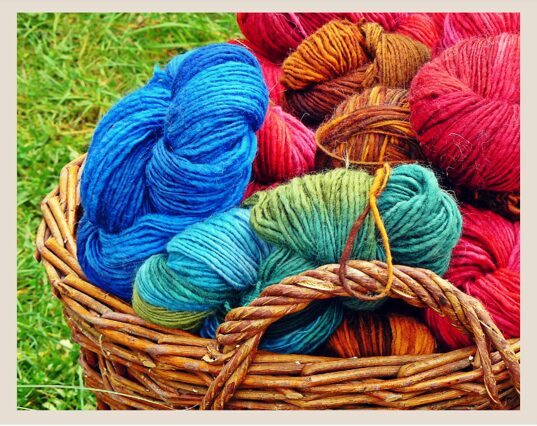
Creating Your Yarn Inventory System
You're planning a new project and you could swear you have the perfect yarn for it somewhere in your stash. You spend valuable time digging through bins and bags, pulling out skeins, checking labels, making a mess. By the time you find it (or give up and buy new yarn), you've wasted half your crafting time and you're frustrated.
Or worse: you buy yarn for a project, get home, and realize you already had three skeins of that exact color buried in your closet.
If this sounds familiar, you need a yarn inventory system.
As intermediate crocheters, most of us have accumulated more yarn than we started with. What began as “just a few skeins for this one project” has grown into bins, baskets, and closets full of yarn. And without a system to track it all, that stash becomes more overwhelming than useful.
A good inventory system doesn't just tell you what you have. It helps you actually USE what you have, avoid duplicate purchases, and plan projects around your existing stash. Let's talk about how to create one that actually works for your life!
If you're looking for general organization ideas, check out my DIY Crochet Project Planner post. This post focuses specifically on the inventory tracking piece for documenting what you own so you can find and use it.
DISCLOSURE: This post contains affiliate links, meaning if you click on a product or service, and decide to purchase it, I may receive a commission at no extra cost to you. All recommended products and services are based on my experience with them. For more information, please read my Disclaimer.
Why You Need a Yarn Inventory System
“But I can just look at my yarn!” Sure, if you have 10 skeins. But once your stash grows past what you can see and remember just looking at it, things get lost or forgotten.
A yarn inventory helps you:
- Save money: Stop buying duplicates of yarn you already own (save yourself the time and an extra trip)
- Save time: Find what you need quickly instead of digging through everything
- Use your stash: Can't use yarn you don't remember you have!
- Plan projects: Know exactly how much of each color/fiber you own
- Shop smarter: Check your inventory before buying to see if you already have something similar
- Reduce guilt: Knowing what you have and having a plan for it feels better than vague “I should use that someday” guilt
The goal isn't to make you feel bad about your current yarn stash. It's to make your stash actually useful and accessible.
How Much Detail Do You Need?
There's no one-size-fits-all inventory system. The right level of detail depends on your stash size and your personality.
Minimal Inventory (Small Stash: <30 skeins)
What to track:
- Yarn brand and color name
- Approximate yardage
- Intended project (if you have one)
System: Simple list in notes app or notebook
Update frequency: After each purchase or project
Best for: Beginners, minimalists, people with limited storage space
Medium Inventory (Medium Stash: 30-100 skeins)
What to track:
- Brand, line, and colorway
- Fiber content
- Weight
- Yardage per skein and number of skeins
- Dye lot (for large quantities)
- Where it's stored
- Intended project
System: Spreadsheet (Google Sheets or Excel), Ravelry, or My Yarn Stash app etc.
Update frequency: Monthly, or after purchases/completions
Best for: Most intermediate crocheters, organized personalities
Detailed Inventory (Large Stash: 100+ skeins)
What to track:
- Everything from medium, plus:
- Purchase date and price
- Care instructions
- Photos of yarn
- Project suitability notes
- Personal rating/review
System: Dedicated app (Ravelry, My Yarn Stash app, etc.) or detailed spreadsheet
Update frequency: Weekly, or immediately after any change
Best for: Large stashes, professional crocheters, data lovers
Start with medium and adjust. You can always add more detail later, but starting too complex often leads to abandoning the system entirely.
What Information to Track
Here's what matters most (prioritize the top items):
Essential Information
Yarn brand and line:
- Example: “Lion Brand Wool-Ease”
- Why it matters: Helps you find it again if you need more
Colorway/Color name:
- Example: “Fisherman” or “Dusty Rose #456”
- Why it matters: Precise identification
Fiber content:
- Example: “80% Acrylic, 20% Wool”
- Why it matters: Determines project suitability and care
Weight:
- Example: “Worsted/4/Medium”
- Why it matters: Pattern matching and hook selection
Yardage:
- Example: “220 yards per skein, 3 skeins = 660 total yards”
- Why it matters: Project planning
Quantity:
- Example: “3 skeins” or “500 yards”
- Why it matters: Knowing how much you have
Very Useful Information
Dye lot:
- Example: “Lot #A47293”
- Why it matters: For projects needing color consistency
Location:
- Example: “Bedroom closet, blue bin”
- Why it matters: Actually finding it when you need it, especially if it’s not all in one easy location
Intended project:
- Example: “Baby blanket for niece” or “Sweater someday”
- Why it matters: Prevents buying yarn for projects you've already planned
Purchase date/price (optional):
- Why it matters: Budgeting, knowing what's been sitting unused
Nice-to-Have Information
Care instructions:
- Example: “Machine wash cold, lay flat to dry”
- Why it matters: Project planning for practical items
Personal notes:
- Example: “Splitty” or “Beautifully soft” or “Great for toys”
- Why it matters: Learn from experience
Photo:
- Why it matters: Visual reference when shopping or planning
Don't track everything if it feels overwhelming. Better to track the essentials consistently than track everything once and never update it.

Inventory System Options
Choose the method that matches your tech comfort and lifestyle.
Option 1: Ravelry Stash
What it is: Free yarn tracking within Ravelry.com
Pros:
- Free
- Designed specifically for yarn
- Large database of yarns (auto-fills brand/colorway)
- Links to your projects and queue
- Photos supported
- Can mark yarn as “used” or “in queue”
- Community features
Cons:
- Requires internet access
- Can be overwhelming with all the features
- Learning curve if you're new to Ravelry
- Some yarn brands aren't in database (manual entry)
Best for: People already using Ravelry, don't mind web-based tools
Option 2: Spreadsheet (Google Sheets or Excel)
What it is: Custom spreadsheet you create
Pros:
- Fully customizable
- Offline access (Excel) or anywhere access (Google Sheets)
- Can add exactly the columns you want
- Easy to sort and filter
- Can calculate total yardage
- Free (Google Sheets) or one-time purchase (Excel)
Cons:
- Manual setup required
- All data entry is manual
- No automatic yarn database
- Photos require separate storage
Best for: People who like spreadsheets, want full control, prefer visual organization
Basic spreadsheet columns to create:
- Brand
- Line/Product Name
- Colorway
- Fiber Content
- Weight
- Yards per Skein
- Number of Skeins
- Total Yards
- Dye Lot
- Location
- Intended Project
- Notes
Pro tip: Use Google Sheets so you can access it on your phone while yarn shopping!
Option 3: Dedicated Yarn Apps
Options include:
- YarnBuddy (iOS)
- Yarn Hoarder (iOS/Android)
- Stash2Go (iOS/Android)
- My Yarn Stash
Pros (check each program you are considering for their current features):
- Designed for yarn tracking
- Mobile-friendly
- Often include barcode scanning
- Photo support
- Some have pattern integration
Cons:
- May have cost (one-time or subscription)
- Less customizable than spreadsheets
- Dependent on app developer (could disappear)
- May have limited yarn database
Best for: Mobile-first people or if you want a simple dedicated solution
Option 4: Physical Notebook/Binder
What it is: Handwritten inventory log
Pros:
- No technology required
- Can sketch/doodle
- Very personal
- Satisfying for some people
- Can keep yarn band samples
Cons:
- Can't search/filter easily
- Hard to update quantities
- Can't access while shopping (unless you bring it)
- Difficult to reorganize
Best for: People who hate technology, small stashes, enjoy handwriting
Option 5: Hybrid System
What it is: Combine methods
Example combinations:
- Ravelry for detailed tracking + simple spreadsheet for quick reference
- Spreadsheet for inventory + photos in phone gallery
- Notebook for main list + digital photos
Best for: People who want benefits of multiple systems
My recommendation for most people: Start with a Google Sheets spreadsheet. It's free, accessible anywhere, and you can customize it to your needs. If you're already on Ravelry, try the stash feature and test out what is already available to you.
Setting Up Your Inventory: Step-by-Step
Ready to actually do this? Here's how.
Step 1: Gather All Your Yarn
Yes, all of it. Every bin, every bag, every forgotten skein shoved in a closet.
Lay it all out where you can see it. This might require significant floor space. That's okay—this is a one-time setup.
Don't panic at the size of your stash. This step isn't about judgment; it's about awareness.
Step 2: Sort Into Categories
Before logging, sort your yarn. This makes data entry faster.
Sort by:
- Weight (all worsted together, all DK together, etc.)
- OR fiber type (all cotton, all wool, all acrylic)
- OR color family (if you're very visual)
- OR project type (yarn you bought for specific projects vs. general stash)
Choose one sorting method. Don't try to sort by multiple things at once (it’s too complicated)
Step 3: Choose Your Inventory System
Pick ONE from the options above. Don't try to set up multiple systems at once.
If using a spreadsheet, create your columns now. If using Ravelry or an app, make sure it's downloaded/logged in.
Step 4: Start Logging
Work through one category at a time.
For each yarn:
- Check the label for all relevant info
- Enter into your chosen system
- Take a photo if your system supports it (or if not, save photo with descriptive filename)
- Note where it's going to be stored
- Put it in its storage location
Save yarn labels! Stick them in a binder, folder, or envelope. Your inventory will have the key info, but labels have additional details you might need later.
This will take time. A medium stash (50-100 skeins) might take 2-4 hours to fully inventory. That's okay. Put on a show, make it enjoyable.
Step 5: Organize Physical Storage
As you log each yarn, place it in its permanent storage spot.
Storage tips:
- Group by weight or color (whatever makes sense to you)
- Use clear bins or labeled opaque bins
- Keep frequently-used yarns accessible
- Store special/expensive yarns separately
- Consider climate (avoid damp basements for natural fibers)
Record storage location in your inventory: “Closet – Blue Bin” or “Under Bed – Left Box” if you have your stash in multiple locations
The storage and inventory should match. If your inventory says “Blue Bin,” that yarn should be in the blue bin.
Maintaining Your Inventory
An inventory is only useful if you keep it updated.
When to Update
Add yarn immediately after purchase: Even before it goes into storage, log it. While you have the receipt and remember what you bought.
Update after completing a project: If you used 3 skeins, subtract them from your inventory.
Update if you de-stash: Donated or sold yarn? Remove it from inventory.
Weekly/monthly check-in: Pick a regular time that works best for you to catch any missed updates.
Making Updates Easy
Keep your system accessible:
- Spreadsheet? Add bookmark to phone browser
- App? Keep on phone home screen
- Ravelry? Stay logged in
Batch updates work too: If daily updates feel like too much, dedicate 20 minutes weekly to update everything at once.
Don't let it become a chore. If updating feels burdensome, your system is too complex. Simplify it.
Using Your Inventory Effectively
Having an inventory is pointless if you don't actually use it.
Before Buying New Yarn
Check your inventory first:
- Do I already have this color?
- Do I have something similar that would work?
- Do I have the right weight/yardage for this project already?
Access your inventory while shopping: This is why mobile-friendly systems (Google Sheets, apps, Ravelry mobile) are so valuable.
When Planning Projects
Filter your inventory by:
- Yarn weight (show me all worsted weight)
- Fiber type (show me all cotton)
- Yardage available (show me yarns with 500+ yards)
- Location (what's in my accessible bin?)
Match projects to your stash instead of always buying new.
Stash-Busting Challenges
Use your inventory to set goals:
- “I will use 10 skeins from my stash this quarter”
- “I will use all the DK weight before buying more”
- “I will make projects from oldest purchases first”
Mark yarn as “de-stash” in your inventory if you know you'll never use it. Then actually de-stash it.
Dealing with Inventory Overwhelm
If your inventory reveals you have 200 skeins and you're suddenly stressed, take a breath. Remember that it’s just information to keep you organized. Now knowing what is in your stash means you can make intentional decisions going forward.
You Don't Have to Use It All
Buying yarn isn't bad, but if your inventory reveals you have more than you'll realistically use, you have options:
- Slow down purchasing
- Increase project output
- De-stash what doesn't make you excited to use it
- Accept you collect yarn and that's okay! (it happens to us all!)
Set Boundaries That Work for You
Some crocheters set rules like:
- “One in, one out” (buy a skein, use a skein)
- “Stash shop first” (check inventory before buying)
- “Annual de-stash” (every year, donate unused yarn)
- “No-buy months” (no yarn purchases certain months)
These are personal choices, not requirements.
The Bottom Line
A yarn inventory isn't about making you feel guilty about your stash. It's about making your stash useful. When you know what you have, where it is, and how much you have, you can:
- Actually use your yarn instead of letting it sit
- Avoid buying duplicates
- Plan projects around existing stash
- Shop more intentionally
- Find what you need quickly
The best inventory system is the one you'll actually use. Start simple, track the essentials, and adjust as you learn what works for your habits and stash size.
Your yarn collection deserves better than being a source of stress and guilt. Turn it into a resource you can tap into easily.
Your Turn
Do you have a yarn inventory system? What works for you? What challenges have you faced? Share your tips and struggles in the comments or tag me on Instagram @collectivelyhooked!
Ready to get organized? Check out these related posts:
- DIY Crochet Project Planner – Complete organization system
- Understanding Dye Lots – Track dye lots in your inventory
- Yarn Choices Explained – Understanding fiber types
Happy hooking!
FAQs
Troubleshoot common inventory problems!
I started tracking but stopped updating
Solution: Your system is too complex. Simplify it.
- Reduce columns/fields to essentials only
- Switch to a simpler system
- Accept that “good enough” is better than “perfect but abandoned”
I can't find yarn even though it's in my inventory
Solution: Your storage locations aren't specific enough.
- Update inventory with more precise locations
- Physically reorganize so storage matches inventory
- Add photos to inventory so you can visually identify
I have duplicate entries
Solution: Search before adding new entries.
- In spreadsheets: Use Ctrl+F to search before adding
- In Ravelry: Check stash before adding
- Regular audits to find and merge duplicates
My stash changed a lot and inventory is outdated
Solution: Do a refresh audit.
- Set aside time to physical count vs. inventory
- Update discrepancies
- Consider why updates weren't happening (system too complex?)


Trackings systems are good. Doesn’t take long to build a stash but it’s a mess to go thru to figure out what you have. Thanks.
This is so helpful! I’m currently cleaning the basement, and I have lots of yarn all over the place, so I need to figure out how to go through it all. I’m definitely going to use some of these tips to organize and weed through them all!